大阪Osaka如何使用Suica card西瓜卡
Suica 大阪 Osaka如何使用Suica card西瓜卡
上星期我的股票有點起色
又收到續期新的BNO護照,及心思思想去日本探路移居可行性,
見到有超平機票決定去關西-大阪Osaka 一個星期充充電。在準備出發前上網看看在東日本買的「西瓜卡」Suica IC card -(類似香港人的八達通)如何在關西使用,可惜沒有找到答案,今天使用充值及乘車後可以和大家分享。
- Suica card 「西卡咭」可以在關西所有地鐵、電鐵、JR、便利商店及接受IC Card 的商店使用;
- 如果Suica card 已加入左apple pay 內同樣可以使用,(與持有真實Suica card沒有分別)
- 在APPLE WALLET 內的Suica 除了可以經APPLE PAY 內信用卡充值亦可以在關西的JR車站內的售票機用 現金 充值 (可以免除apple pay 信用卡付款的1.95% 手續費)
- 所以各位日本迷 馬上將SUICA CARD放入 Apple Pay 可以慳返好多時間及非常方便。(如何把Suica 放入apple pay? 可以去到apple 官網 support search Suica會教你點樣做-而且好easy)

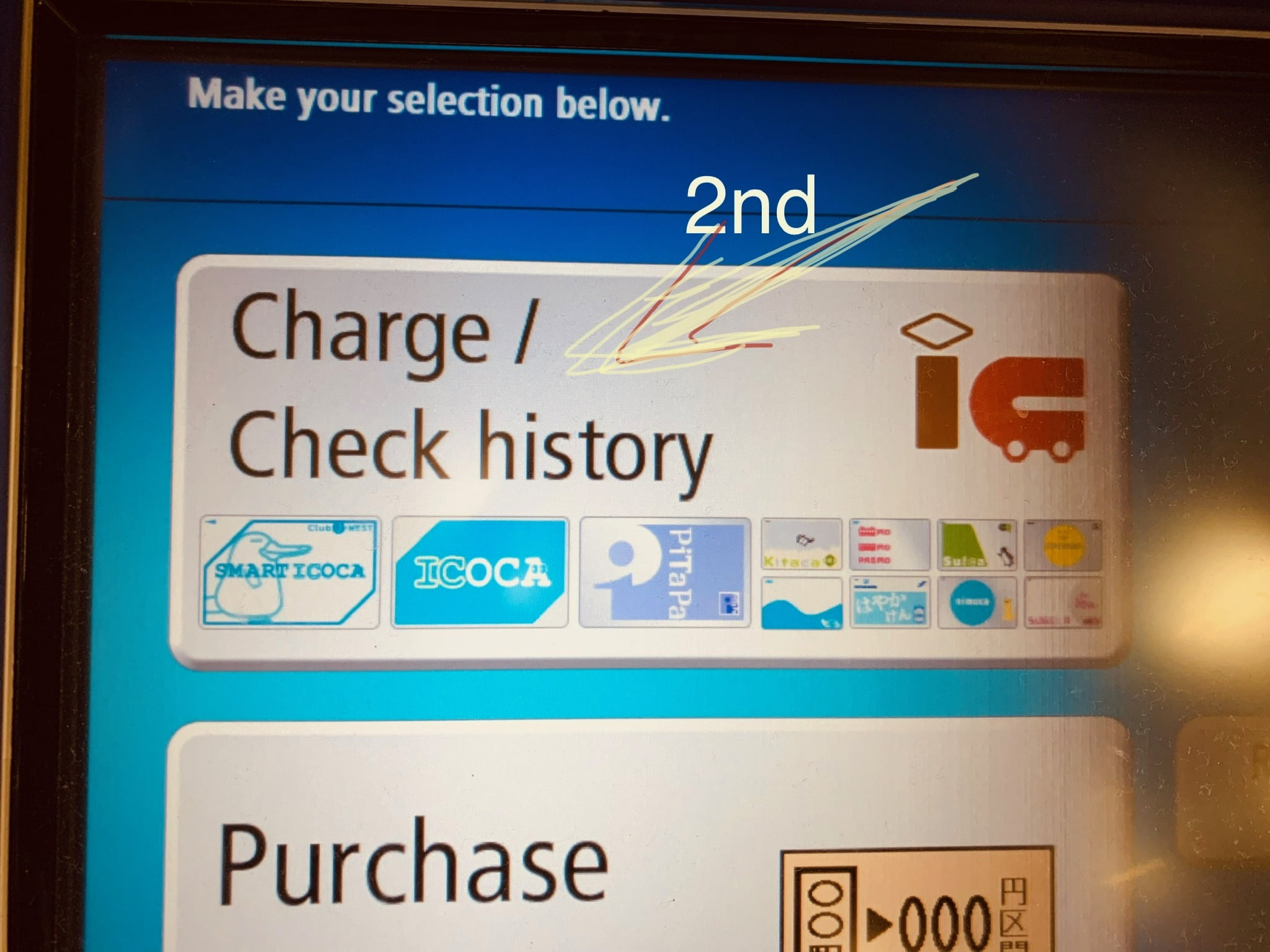

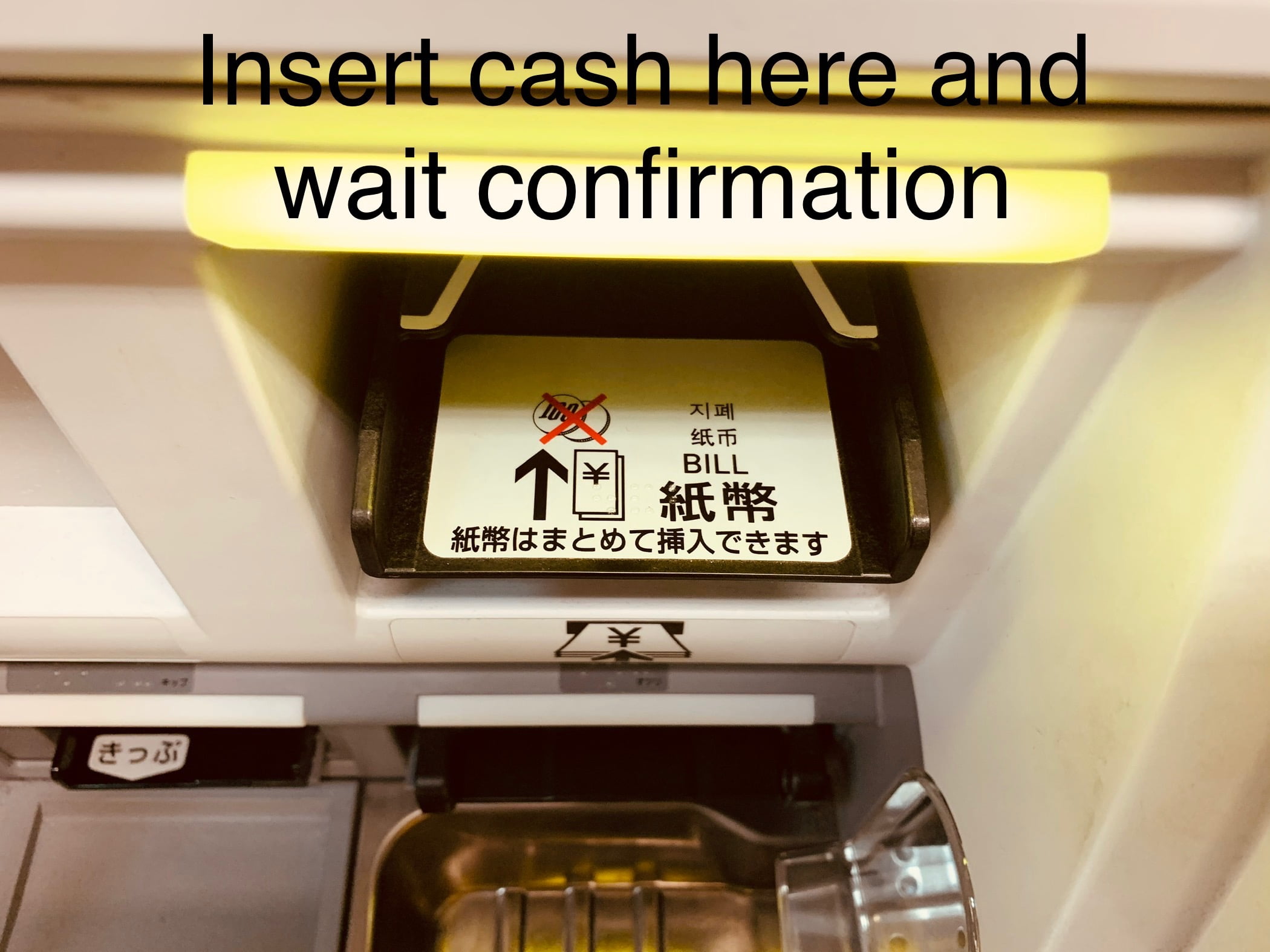
Charge your Suica card in Osaka
- Go to a JR Station: Depending on the JR station, Suica cards may be recharged at fare adjustment machines, stationmaster offices, or other ticket counters.
- Insert Suica card: Insert your Suica card into the fare adjustment machine or the ticketing device at the station master’s office.
- Select “Suica Charge”: Select the “Suica Charge” option.
- Select the Recharge Amount: Choose the amount of money you wish to add.
- Select the Payment Method: Select the payment method you want to use to add money to your Suica card. Options include cash or credit card.
- Finalize the Payment: Once you have made your payment, the balance on your Suica card will be updated.